Intent-first
You describe what the document is for, not which menu to click. OfficeDex parses intent into structure — headings, sections, tables, slide flow — before a single word is rendered.
You describe the intent. OfficeDex produces the file — native .docx, .pptx, .xlsx, and .pdf — no HTML middleware, no copy-paste, no manual formatting. This is what VibeOfficing means: intent-first, native-format, local-first office work.
Developers already VibeCode: they describe the program they want, and a model writes the code. VibeOfficing is the same paradigm for documents. You describe the report, the deck, the spreadsheet — an AI agent emits the finished file. OfficeDex is the desktop product that makes VibeOfficing real today.
You describe what the document is for, not which menu to click. OfficeDex parses intent into structure — headings, sections, tables, slide flow — before a single word is rendered.
The output is the deliverable. OfficeDex emits native OOXML (.docx / .pptx / .xlsx) and PDF directly — no HTML scaffold, no markdown intermediate, no paste-into-Word step.
Generation runs on your machine. Files land in a workspace you own. Your prompts, references, and house style never leave the device unless you say so.
VibeCoding leans on the model knowing programming languages, frameworks, and design patterns. VibeOfficing leans on OfficeDex knowing formats, templates, and layout conventions.
| VibeCoding leans on | VibeOfficing leans on | What the model learned |
|---|---|---|
| Languages (Python / Go / TS) | Formats (OOXML: .docx / .pptx / .xlsx) | Syntax |
| Frameworks (React / Django / Spring) | Templates (quarterly reports, pitch decks) | Structure |
| Design patterns (MVC / Observer) | Layout habits (heading hierarchy, chart styles) | Style conventions |
Web AI assistants treat documents as chat output. CLI tools treat them as scripted artifacts. VibeOfficing — implemented by OfficeDex — treats the document as the deliverable from the very first token.
| Dimension | Web AI assistants | CLI tools | VibeOfficing (OfficeDex) |
|---|---|---|---|
| Intent → output | Chat → copy-paste → Word | Flags → file | Sentence → native .docx / .pptx / .xlsx |
| Desktop experience | In-browser tab | Terminal | Wails native window, full IDE feel |
| File ownership | Manual download | Direct save | Direct save + one-click open + inline preview |
| Preview formats | Microsoft Office required | None | DOCX / PPTX / XLSX / PDF rendered in-app |
| LLM provider | Vendor-locked | Any | Any + GUI configuration |
| Data sovereignty | Cloud-first | Local | Local-first (Hosted Runtime optional) |
| Mid-task collaboration | Single-turn chat | None | AI asks back, streaming status, cancel anytime |
| House-style memory | Forgets each session | No state | Remembers tone, layout, palette across documents |
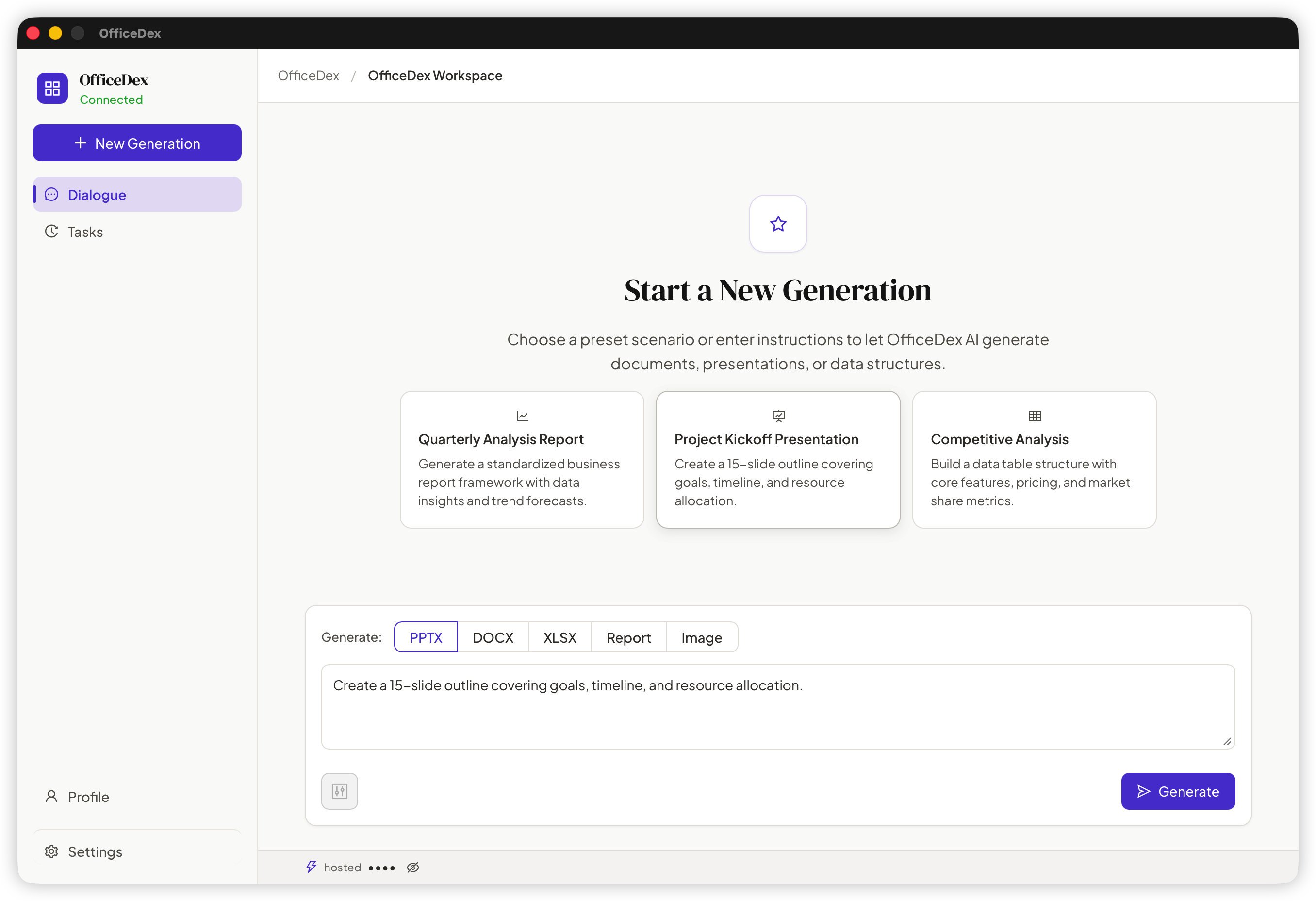
Describe the brief. OfficeDex emits the finished .docx / .pptx / .xlsx / .pdf — what VibeOfficing calls "intent-first" output. No HTML intermediate. No paste-into-Word step.
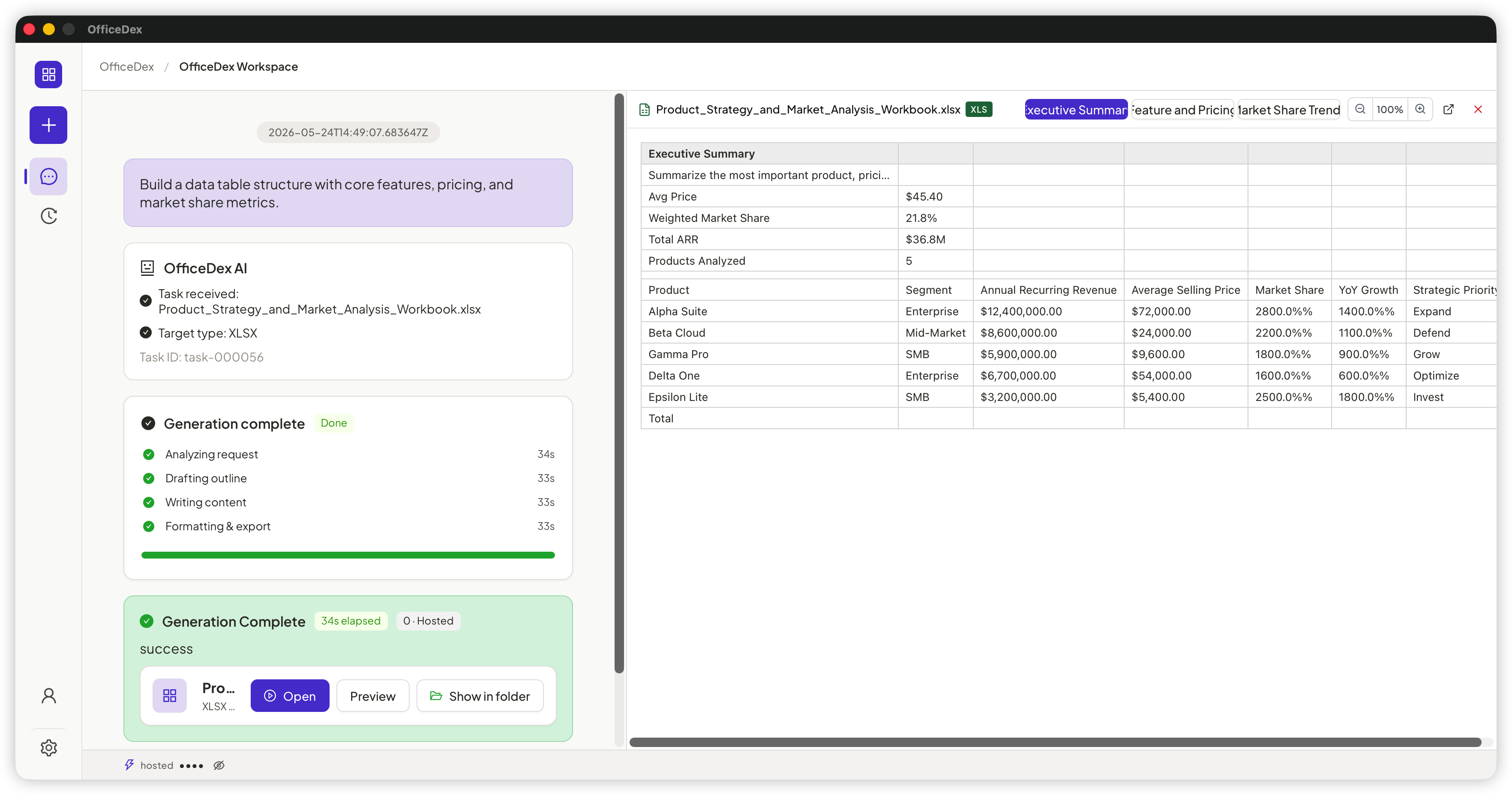
Watch every reasoning step. Cancel mid-flight, restart, or answer the agent's clarifying question — VibeOfficing is collaborative, not single-turn.
DOCX, PPTX, XLSX, and PDF render inside OfficeDex. The output is the deliverable — open it, share it, ship it.
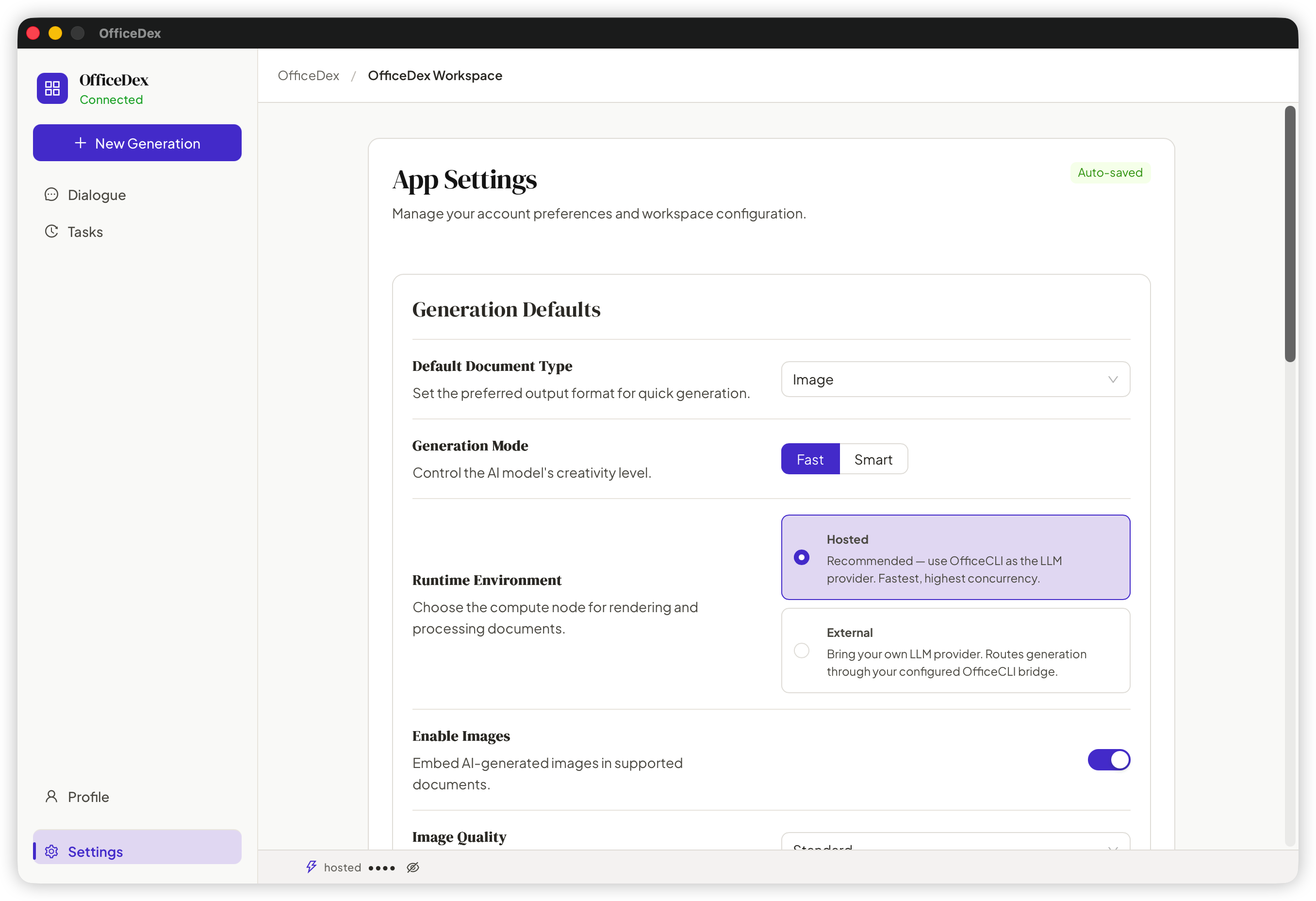
OfficeDex is provider-agnostic: OpenAI, Anthropic Claude, Azure, DeepSeek, Moonshot, vLLM, Ollama, LM Studio. VibeOfficing belongs to no vendor.
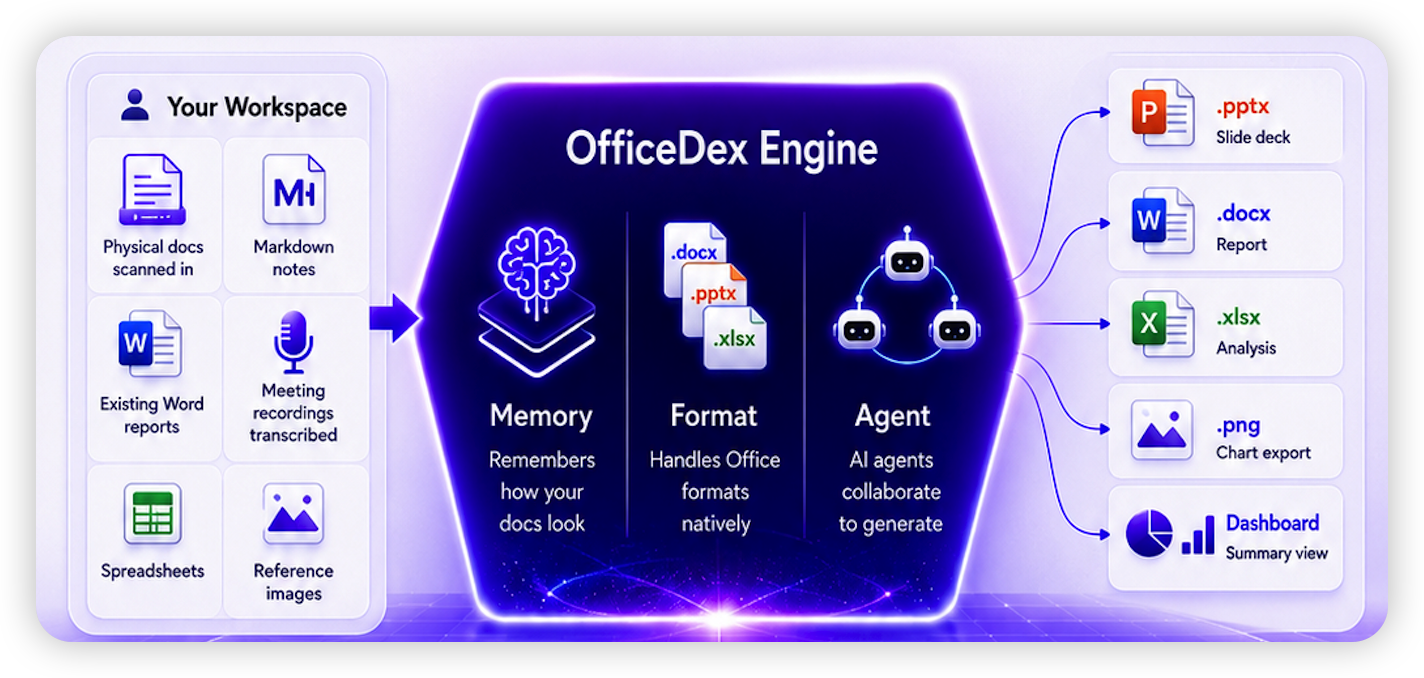
OfficeDex learns your templates, color palette, heading hierarchy, and chart conventions. Document fifty inherits the polish of document one.
VibeOfficing is local-first: generation runs on your machine, files land in your workspace, your IP stays yours. Optional Hosted Runtime is opt-in and clearly labeled.
VibeOfficing is the methodology. These are screenshots from the desktop product that implements it.
"Write a Q3 sales analysis report focused on the eastern region, include YoY and QoQ charts, target audience is the CFO."
OfficeDex is the desktop client that delivers VibeOfficing. A native shell speaks JSON-RPC to the OfficeCLI generation engine, which emits files into your local workspace. Documents stay on disk; the UI stays approachable.
┌───────────────────────────────────────────────────┐
│  OfficeDex desktop (VibeOfficing client)          │
│  ┌──────────────────┐    ┌────────────────────┐   │
│  │  React 19 + Antd │ ←→ │  Wails Go runtime  │   │
│  └──────────────────┘    └─────────┬──────────┘   │
└─────────────────────────────────────┼─────────────┘
                                      │ JSON-RPC stdio
                                      ▼
                          ┌────────────────────────┐
                          │  officecli agent-bridge│
                          │  (generation engine)   │
                          └─────────┬──────────────┘
                                    │
                                    ▼  native OOXML / PDF
                          ┌────────────────────────┐
                          │  your local workspace  │
└────────────────────────┘officecli subprocess via JSON-RPC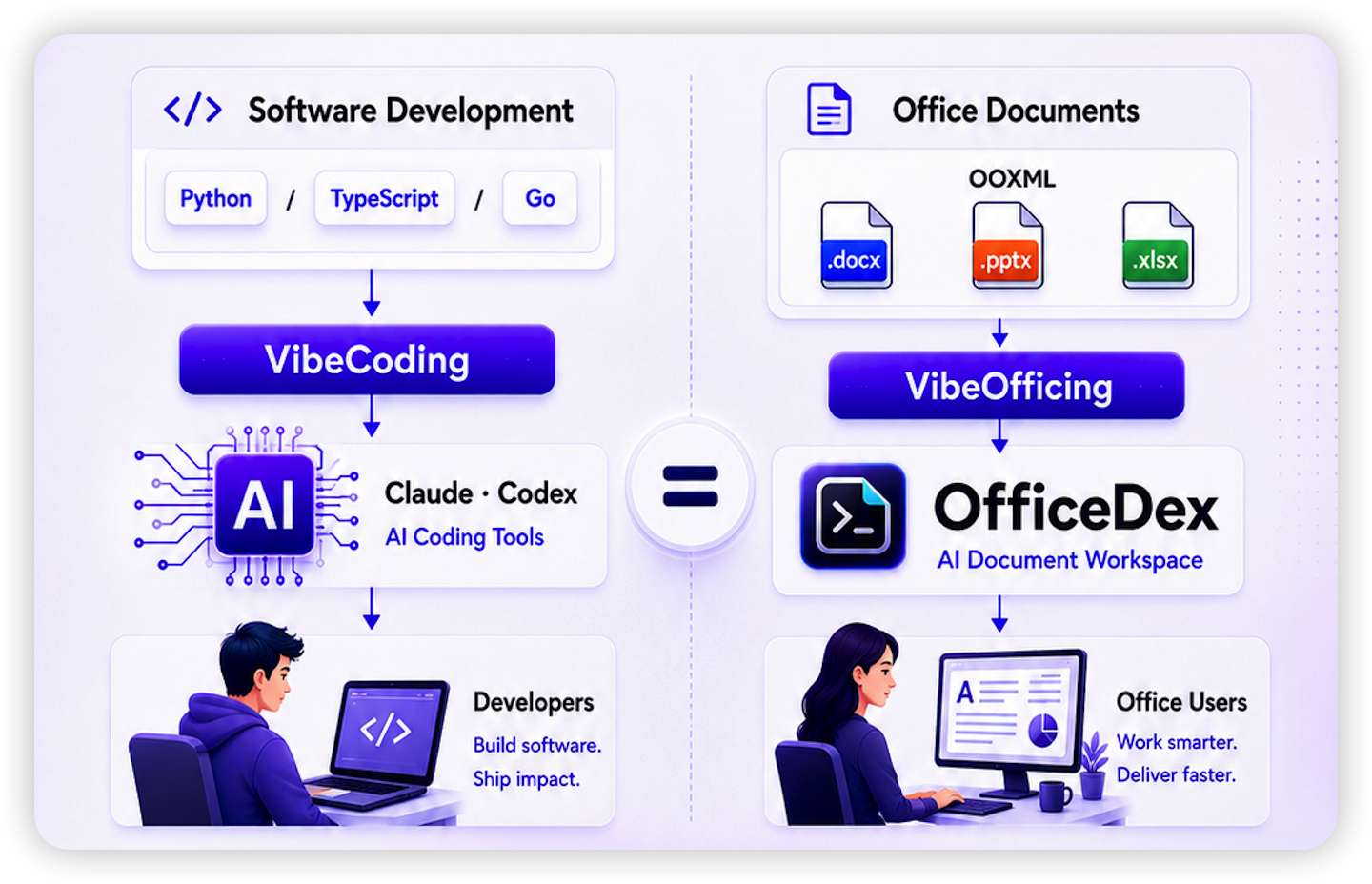
git clone https://github.com/officecli/officedex
cd officedex
npm install
npm run devVibeOfficing is the document analog of VibeCoding. Just as developers describe intent and a model writes the program, knowledge workers describe intent and an AI agent writes the document — directly into native Office formats. The three tenets are intent-first (you describe what you want, not how to format it), native-format (the output is the deliverable file, not an HTML draft), and local-first (generation runs on your machine; your IP stays yours).
VibeOfficing is the methodology. OfficeDex is the desktop product that implements it. OfficeDex is a Wails-based native app that takes natural-language prompts and produces .docx, .pptx, .xlsx, and .pdf files via the OfficeCLI generation engine.
OfficeCLI is the underlying command-line generation engine (a Go binary) that handles LLM orchestration and OOXML emission. OfficeDex is the GUI shell — a React UI wrapped in Wails — that talks to officecli via JSON-RPC. They release in lockstep.
No, by default. VibeOfficing is local-first. Generation runs on your machine, LLM calls go directly to the provider you configured, and files are written to a local workspace. If you opt into the Hosted Runtime proxy, the app shows a clear notice.
Yes. In Settings → LLM Provider fill in baseUrl, apiKey, and model. Supported: OpenAI and compatible protocols (DeepSeek, Moonshot, self-hosted vLLM / Ollama / LM Studio), Anthropic Claude, Azure OpenAI.
macOS 12+ (Apple Silicon and Intel) and Windows 10 / 11 (x64) ship as installers. Linux can be run from source via npm run dev.
Default workspace: ~/Library/Application Support/OfficeDex/workspace on macOS; %APPDATA%/OfficeDex/workspace on Windows. Customize via Settings → Workspace.
Output: .docx, .pptx, .xlsx, .pdf — all inline-previewable. Input: natural-language prompts, source files (.docx / .pdf / .md), and reference images.
The OfficeDex shell and preview panel are fully offline. Generation needs an LLM — point baseUrl at a local model (Ollama / vLLM / LM Studio, e.g. http://localhost:11434/v1) for fully air-gapped operation.
Click Report Issue in the app. It bundles app version, recent OfficeCLI logs (sanitized), and the current task snapshot. Paste the generated markdown into a GitHub Issue.
Free, open-source, GPL-3.0. macOS and Windows installers ready.